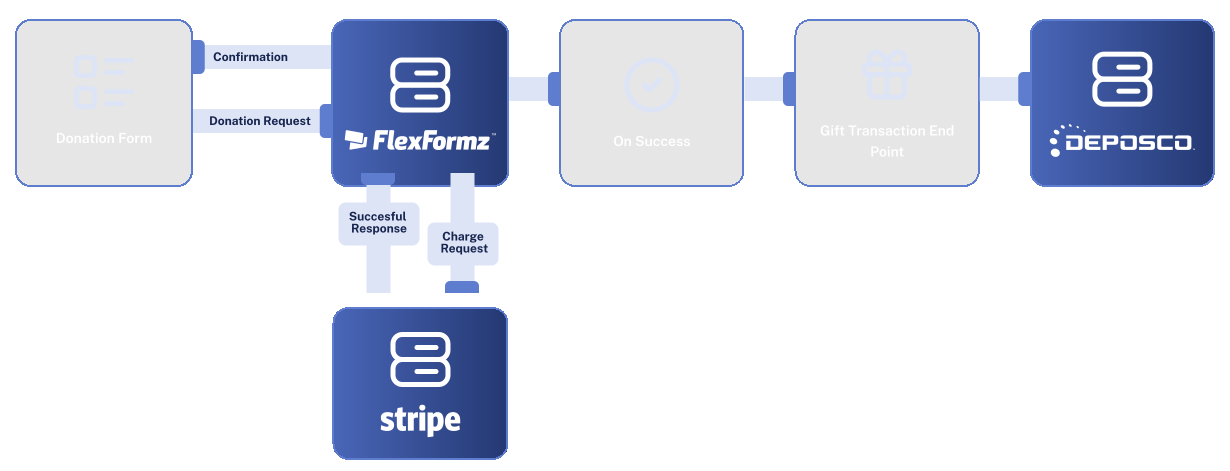
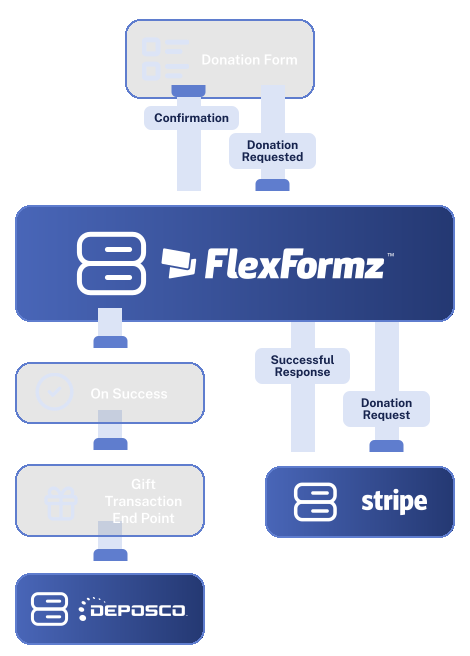
FlexFormz connects with Deposco to send order data directly into your warehouse management system the moment a form is submitted. Whether donors are claiming premiums, or placing gift-with-purchase orders, every submission becomes a Deposco fulfillment order instantly with no manual data entry, no re-keying, and no delays.


FlexFormz connects to Deposco via API using your account credentials, username, password, company code, and business unit. The moment a qualifying form is submitted, FlexFormz constructs a fulfillment order and sends it directly to Deposco. The order is created in your Deposco account with the submitter’s shipping address, product details, and any priority or shipping method settings you have configured. No manual exports, no middleware — just clean order data flowing into your WMS.

FlexFormz allows you to set an order priority for each form using a scale from 0 to 5, where 0 is the lowest priority and 5 is the highest. If no priority is specified, FlexFormz defaults to 5, ensuring orders are processed promptly unless you choose otherwise. This maps directly to Deposco’s order priority field, so your warehouse team can queue and route orders according to your fulfillment rules.

The Ship Via field lets you define the shipping method or carrier Deposco should use for each order. This is an optional field and accepts a string value that corresponds to a shipping method configured in your Deposco account. When left blank, Deposco will apply its default shipping rules.

The Company Code is a 3-character alphanumeric identifier that is case-sensitive and unique to your Deposco account. The Business Unit corresponds to the business name configured in your Deposco environment and is also case-sensitive. Both fields are required and ensure that every order FlexFormz creates is routed to the correct account and operational unit within Deposco. These values are set during setup and apply to all orders generated through your connected forms.
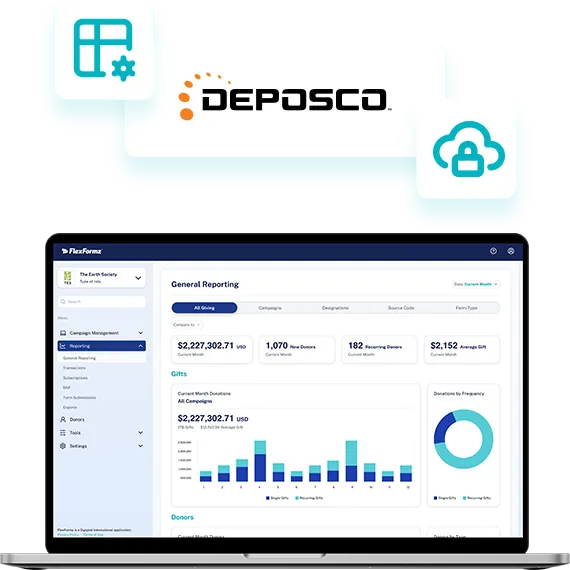

Connecting FlexFormz to Deposco takes just a few steps inside your dashboard. Navigate to ‘Plugins & Integrations’, select Deposco, and enter your credentials. No developers, no technical configuration, and no third-party tools needed. Most teams complete their setup in under 15 minutes.
Sometimes you need immediate clarity. Our FAQs provide quick answers to common questions about setup, support, integrations, security and ongoing care.
FlexFormz automatically creates a fulfillment order in Deposco the moment a qualifying form is submitted. This includes the donor’s contact and shipping details, product information, and any order priority or shipping method settings you have configured. No manual data entry is required.
You will need your Deposco username (email address), password, company code, and business unit. The company code is a 3-character alphanumeric value and is case-sensitive. The business unit corresponds to the business name in your Deposco account and is also case-sensitive. These are entered during setup inside the FlexFormz dashboard.
Order Priority sets the fulfillment priority using a scale from 0 (lowest) to 5 (highest). If you leave this field blank, FlexFormz defaults to 5. This value maps directly to the order priority field in Deposco, allowing your warehouse team to queue and process orders according to your operational rules.
Ship Via is an optional field that defines the shipping method or carrier Deposco should use for orders created by a given form. It accepts a string value that corresponds to a shipping method already configured in your Deposco account. If left blank, Deposco applies its default shipping rules.
Yes. FlexFormz sends order data to Deposco the moment a form is submitted. The fulfillment order is created in Deposco immediately, so your warehouse team can begin processing without delay.
Most teams complete the setup in under 15 minutes. No coding or developer support is required just enter your Deposco credentials and optional settings inside the FlexFormz dashboard.
Our support team is available via email. We also offer a full documentation library and step-by-step guides for the Deposco integration.

If you don’t see your questions, our team is always ready to help. Our support team is available to guide you through every step of the integration — from initial setup to advanced field mapping. Whether you prefer, email, or documentation, help is always within reach.










Experience the time-saving power of seamless integrations.
When your technology works together, your mission moves forward.
© 2026 FlexFormz