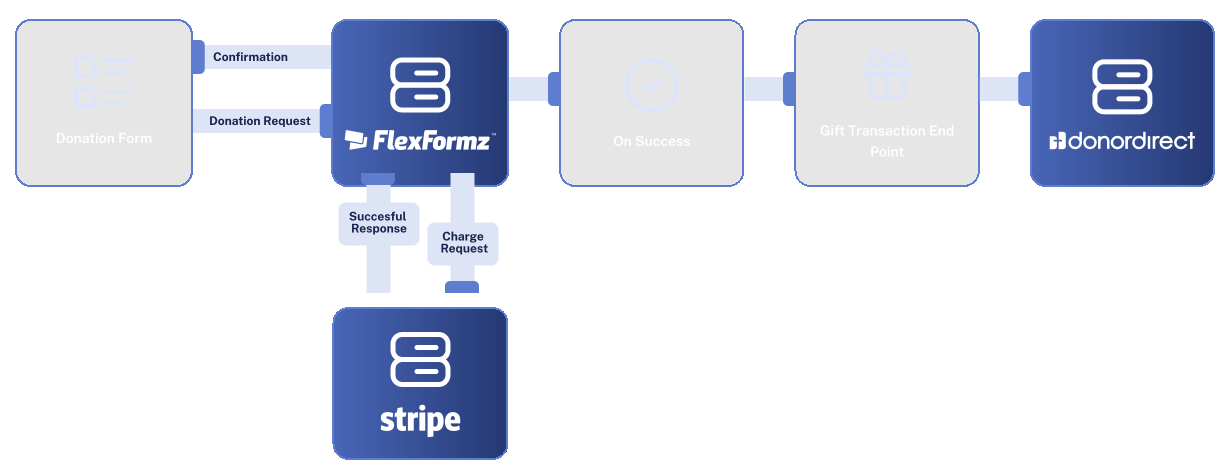
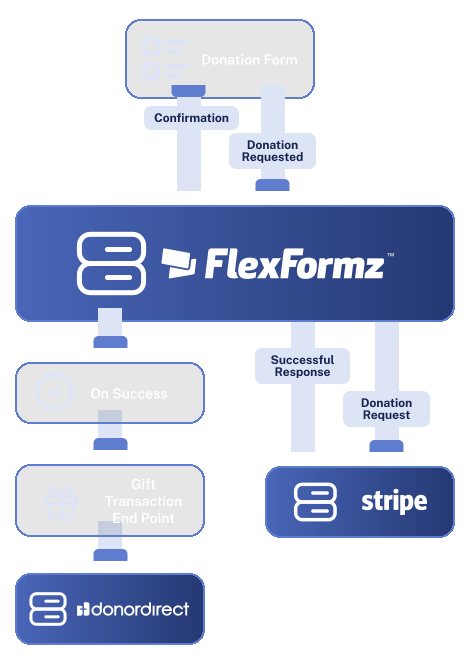
FlexFormz connects directly to Donor Direct, pushing donation data into your CRM in real time so your team never has to import a spreadsheet again. Every gift is routed to the correct donor record, batch, and project automatically. Built with the structure of Donor Direct in mind, this integration works the way your ministry database actually operates.


FlexFormz connects to your Donor Direct instance using API credentials stored securely per organization. Separate live and test credentials are supported, so you can validate your full configuration in a sandbox environment before going live.

When a donation is submitted, FlexFormz searches Donor Direct for an existing account using the donor’s email and postal code. If a single exact match is found, the gift is posted to that record. If multiple partial matches are found but there is no definitive match, FlexFormz creates a new account in Hold status so your team can review it and merge it with the correct existing record before the gift is processed. If no match exists at all, a new account is created.

Each transaction is routed to a batch based on payment method. Source codes, project codes, letter codes, note types, and contact methods are applied according to your integration settings. Deposit status is governed by Hold rules. A transaction is placed on Hold when the default project code or source code is applied, or when notes are present. Transactions that do not trigger any of these conditions are posted as complete.
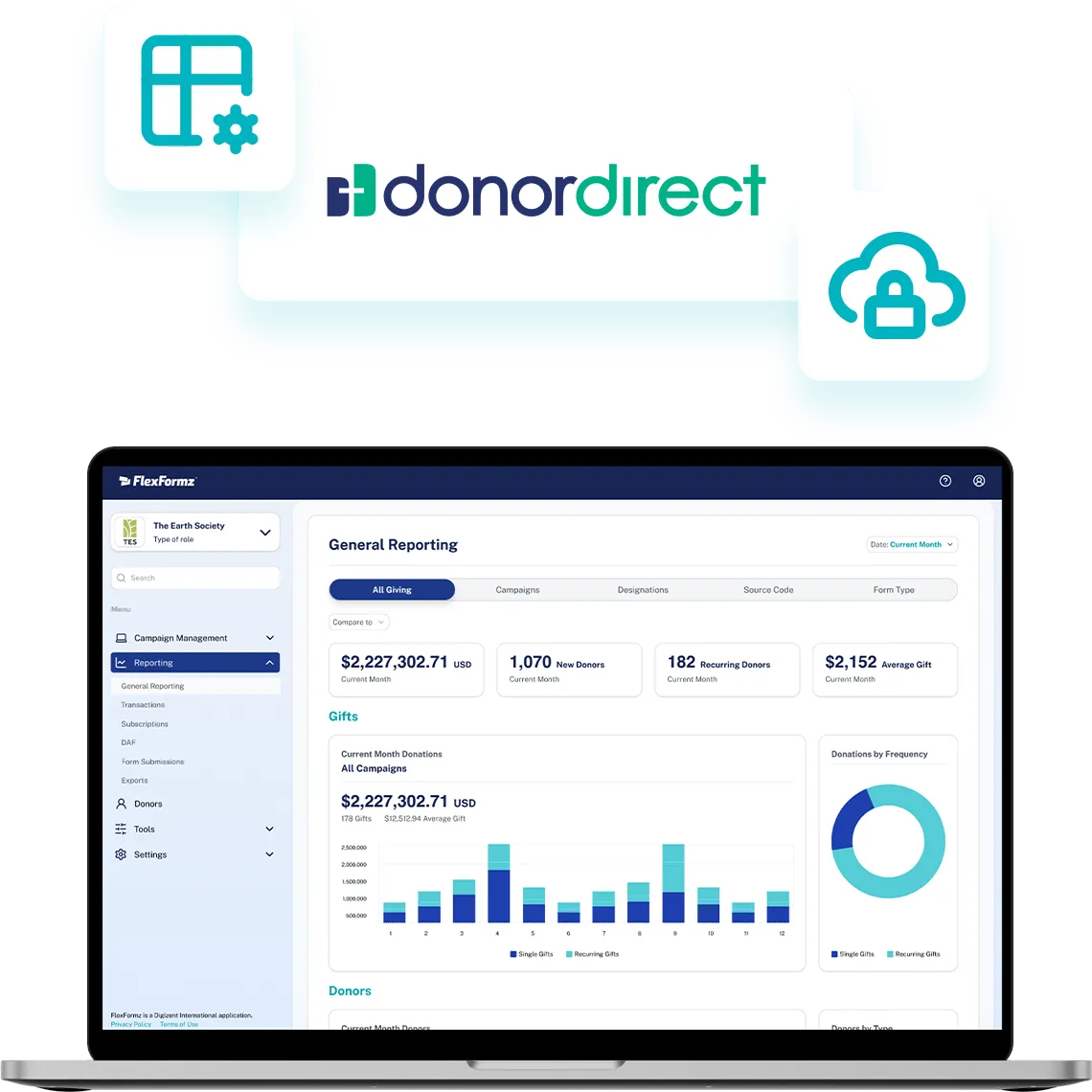

Setup is handled entirely within the FlexFormz dashboard under Plugin Integrations. Enter your Donor Direct API credentials, then configure default values for batches, transactions, accounts, and note types. No developer involvement is required for standard setup, most organizations are configured and processing live donations within a single session.
Sometimes you need immediate clarity. Our FAQs provide quick answers to common questions about setup, support, integrations, security and ongoing care.
FlexFormz searches Donor Direct by email address and postal code before creating anything. If a single exact match is found, the gift is added to that record. If multiple partial matches are found but none is a clear exact match, FlexFormz creates a new account in Hold status, flagging it for your team to review and manually merge with the correct existing record. This prevents gifts from being silently assigned to the wrong donor.
FlexFormz supports separate batch categories and payment type codes for ACH and PayPal transactions, each configurable independently in your integration settings. If a dedicated ACH or PayPal batch is not configured, those transactions fall back to your default batch settings automatically.
Yes, and FlexFormz supports both. You can enter separate API credentials for your Donor Direct live and test instances within the same integration settings page. The system routes each transaction to the correct environment based on whether the form is running in live or test mode.

If you don’t see your questions, our team is always ready to help. Our support team is available to guide you through every step of the integration — from initial setup to advanced field mapping. Whether you prefer, email, or documentation, help is always within reach.










Experience the time-saving power of seamless integrations.
When your technology works together, your mission moves forward.
© 2026 FlexFormz