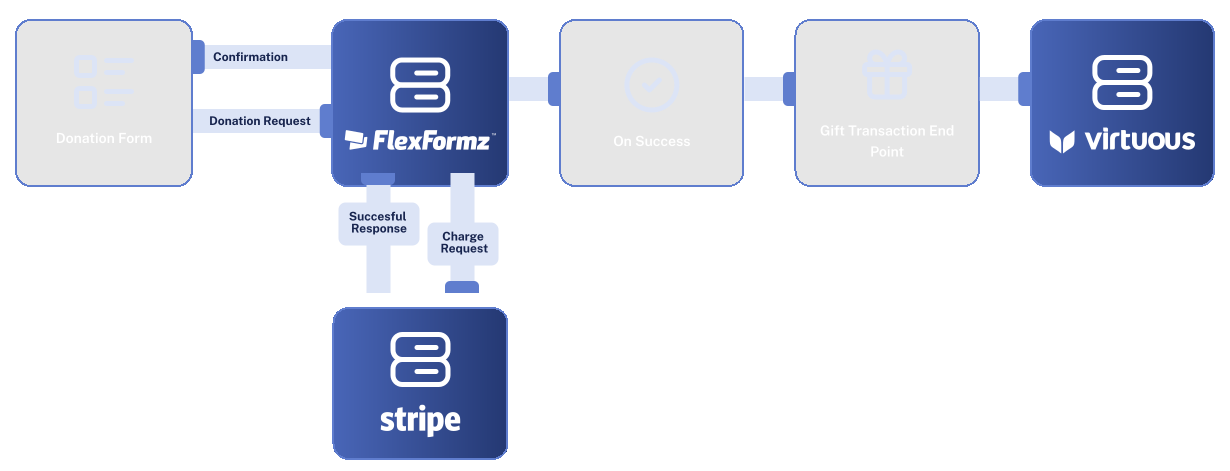
Sync your donation data directly into Virtuous in real time. FlexFormz keeps donor profiles, gift records, and reporting always up to date, so your team can focus on building relationships, not managing spreadsheets.



FlexFormz connects directly to Virtuous via API, automatically routing donation and contact data. No manual exports, no middleware — just clean, reliable data flowing into your CRM.

When high donation volumes are expected, FlexFormz can group donation data and deliver it to Virtuous once per hour rather than one record at a time. This keeps your sync stable and reliable during peak campaigns, eliminating the risk of timeouts or data congestion. Your data still arrives in full — but now in organized, efficient batches.

Custom Collections let you map contact information captured in your FlexFormz forms directly into Virtuous donor records. Define which fields sync and where they land, keeping your CRM data structured exactly the way your team needs it.
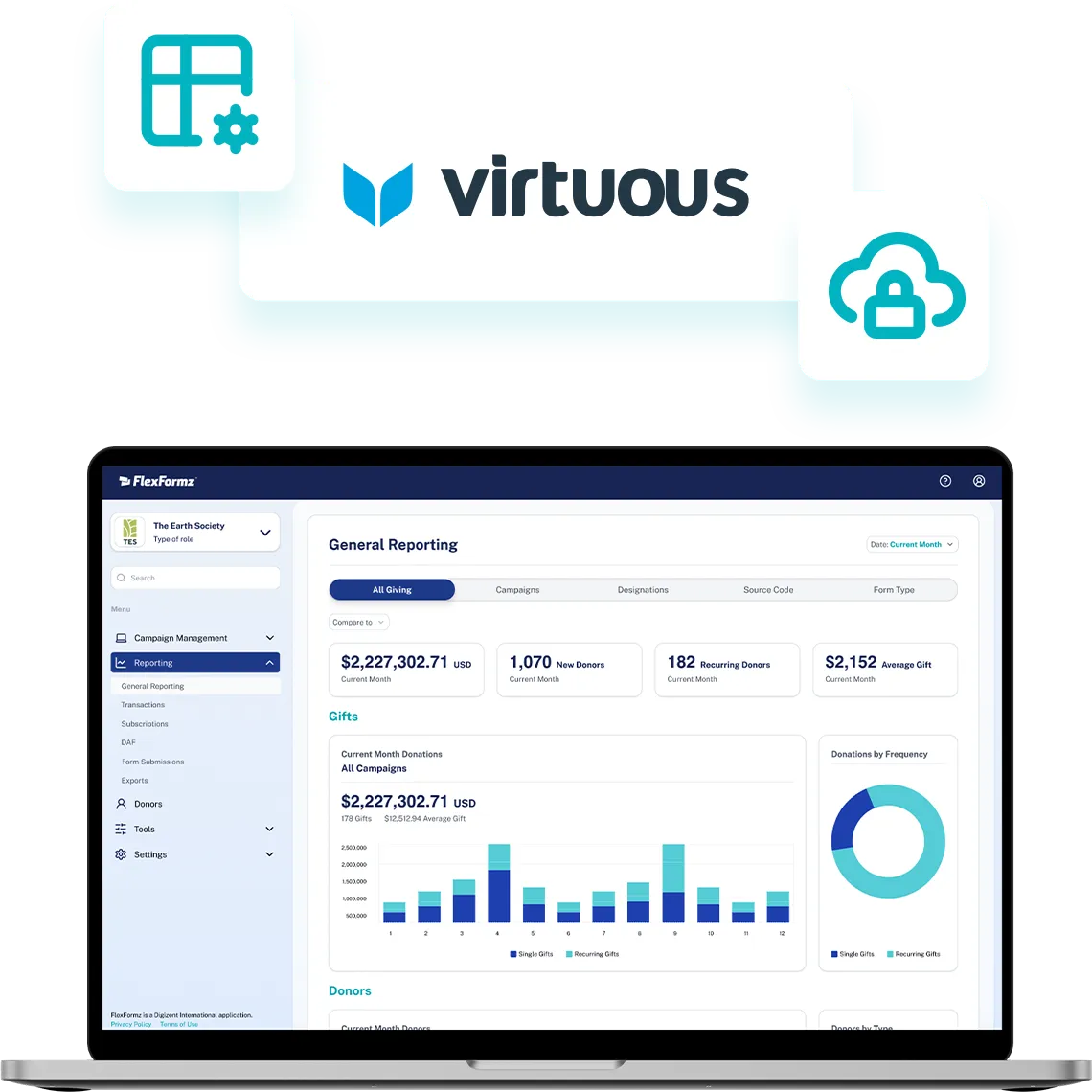
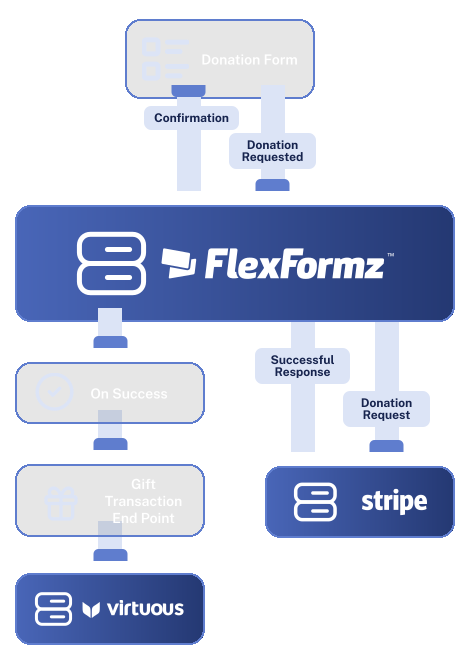

Connecting FlexFormz to Virtuous takes just a few steps inside your dashboard. No developers, no technical configuration, and no third-party tools needed. Most teams complete the setup in under 10 minutes.
Sometimes you need immediate clarity. Our FAQs provide quick answers to common questions about setup, support, integrations, security and ongoing care.
Most teams are fully connected in under 10 minutes. No coding or developer support is required, just follow the step-by-step setup guide inside our FlexFormz documentation library.
FlexFormz syncs donation records, contact information, gift designations, recurring gift data, tribute details, and any custom fields you’ve mapped through Custom Collections.
Yes. By default, FlexFormz sends data to Virtuous at the moment a donation is submitted. Batching is available as an optional setting for high-volume campaigns.
Yes. FlexFormz processes donations in multiple currencies and passes the correct currency data through to Virtuous, so your gift records and reporting stay accurate regardless of where your donors are located.
Yes, that’s exactly what Custom Collections are for. You decide which form fields sync and where they map within your donor records.
Our support team is available via email. We also offer a full documentation library and step-by-step guides for the Virtuous integration.

If you don’t see your questions, our team is always ready to help. Our support team is available to guide you through every step of the integration — from initial setup to advanced field mapping. Whether you prefer, email, or documentation, help is always within reach.










Experience the time-saving power of seamless integrations.
When your technology works together, your mission moves forward.
© 2026 FlexFormz